FlexiContent and Category Blog

More
11 years 9 months ago #47323 by timjorissen
Hi all,

i'm now to this joomla plugin but i'm sure happy you have made it :) .

i've almost have it ready to use. exept for a small thing.

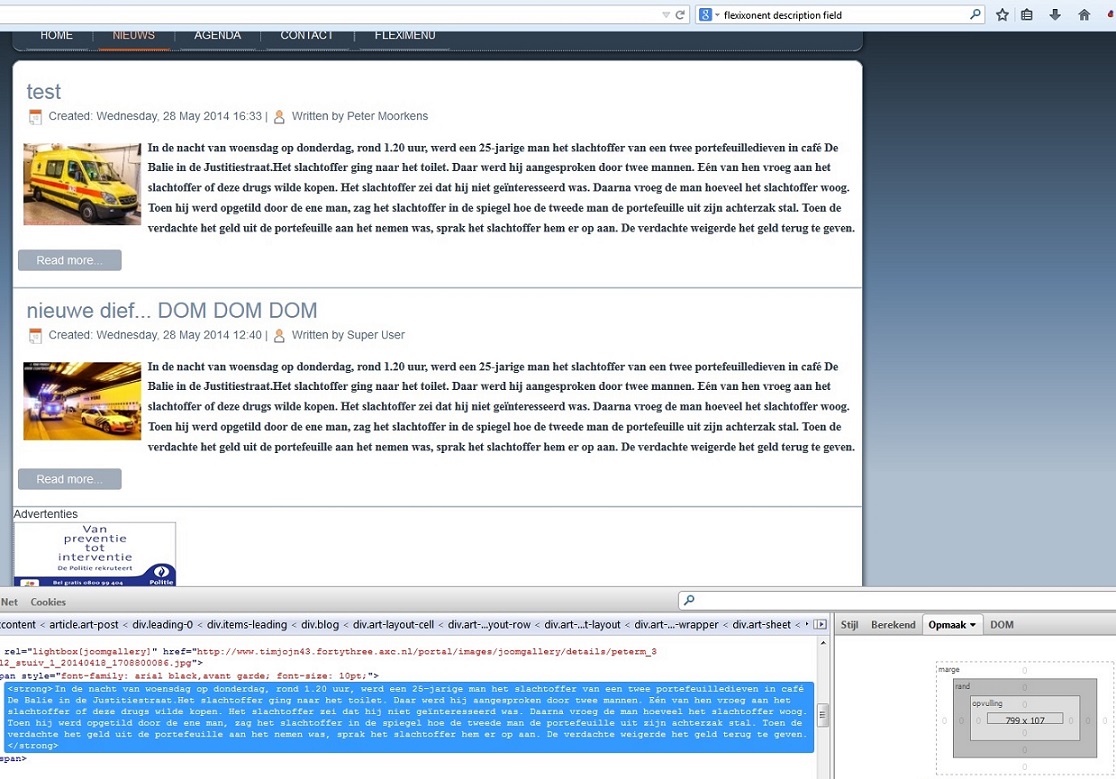
- i'm still using the standard joomla 'category blog' to view my articles on the News page. what works fine within flexicontent when there is only 1 article. from the moment a second article is made, my modules on the right side of the page appear under my articles. this was never a problem before i used flexicontent.

is there any way i can fix this?


Kind regards,

Tim


*EDIT*

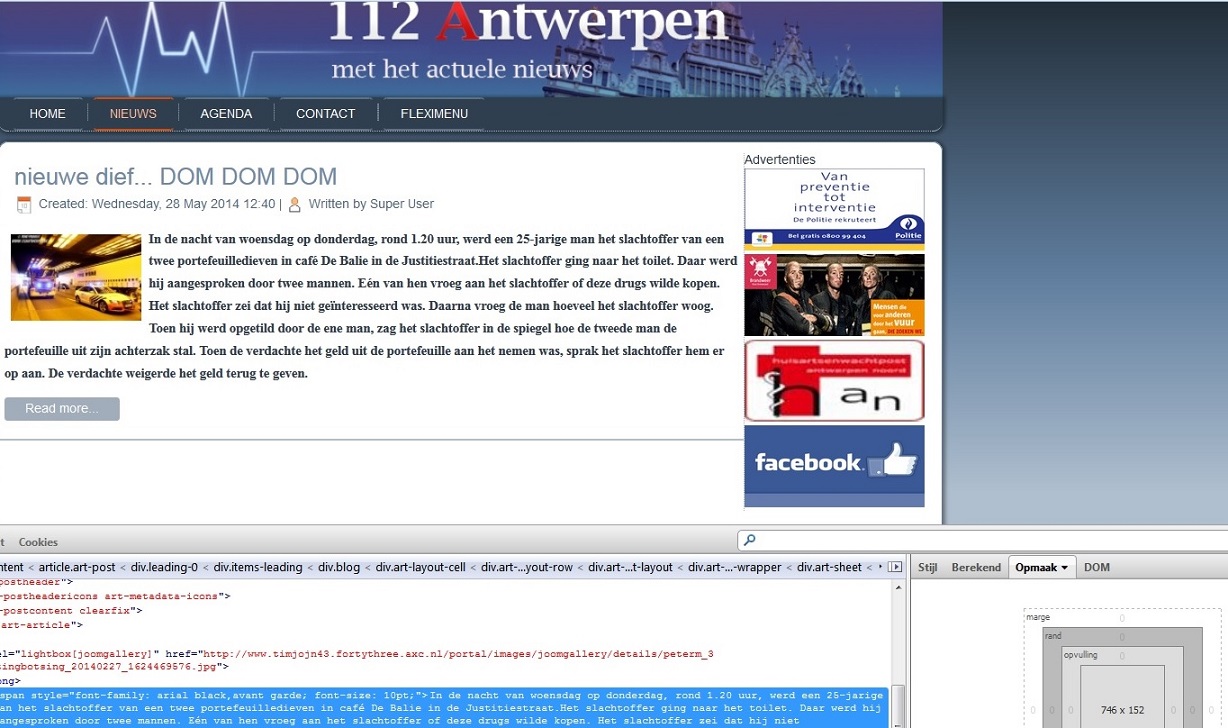
after some more exploring and Firebug in FF i think it's the description field that is changing width from 748 to 982. still trying to find out where i can set that width so it will stay that way.

Please Log in or Create an account to join the conversation.

More
11 years 9 months ago #47327 by micker
can you explain more your problem with link ... when it's a css problem, impossible to help you without link

FLEXIcontent is Free but involves a very big effort on our part.
Like the our support? (for a bug-free FC, despite being huge extension) Like the features? Like the ongoing development and future commitment to FLEXIcontent?
-- Add your voice to the FLEXIcontent JED listing reviews. Thanks![/size]

Please Log in or Create an account to join the conversation.

More
11 years 9 months ago #47331 by timjorissen
Hi,

www . timjojn43.fortythree .axc.nl/portal/nieuws

is the link to the news page. i took 2 pics to make it more clear i hope..

Regards,

Please Log in or Create an account to join the conversation.

More
11 years 9 months ago #47333 by micker
this template is done by artister ... not realy good for clean code ...
i see a problem of div in source code line 181 ...
i think you have a div closed open problem

FLEXIcontent is Free but involves a very big effort on our part.
Like the our support? (for a bug-free FC, despite being huge extension) Like the features? Like the ongoing development and future commitment to FLEXIcontent?
-- Add your voice to the FLEXIcontent JED listing reviews. Thanks![/size]

Please Log in or Create an account to join the conversation.

More
11 years 9 months ago #47334 by ggppdk
Hello

this Joomla category view, and

1. i don't see
- any FLEXIcontent CSS being loaded in this page,
- or any FLEXIcontent module in this page

2. i do see a misclosed <div> those,

before your page will display correctly the HTML tags, (especially the <div> <span> <p>, and similar) must be opened/closed correctly

Regards


-- Flexicontent is Free but involves a big effort on our part.
Like the our support? (for a bug-free FC, despite having a long list of functions) Like the features? Like the ongoing development and future commitment to FLEXIcontent?
-- Add your voice to the FLEXIcontent JED listing with a 5-star review. Thanks!

Please Log in or Create an account to join the conversation.

More
11 years 9 months ago #47335 by timjorissen
ye. artisteer code is nasty.

but could that be the reason for the width change?

i've had numerous articles on the mail site without any change in width. it happened on this one that i set up for testing reasons as this after i installed Flexi...

Please Log in or Create an account to join the conversation.

More
11 years 9 months ago #47337 by ggppdk
Hello

i cannot find flexicontent HTML/CSS in this page

--TEMPORARILY-- disable FLEXIContent system plugins
just for testing !

(only system plugins of FLEXIcontent have a very small chance of effecting this page) !!

- System - FLEXIcontent plugin
- System - FLEXIcontent Advanced Route plugin


-- Flexicontent is Free but involves a big effort on our part.
Like the our support? (for a bug-free FC, despite having a long list of functions) Like the features? Like the ongoing development and future commitment to FLEXIcontent?
-- Add your voice to the FLEXIcontent JED listing with a 5-star review. Thanks!

Please Log in or Create an account to join the conversation.

More
11 years 9 months ago #47338 by timjorissen
you mean like when i use the 'flexi content hidden menu'?
that could be. i just reverted it back to a backup that i took before i rly screwed it up. sorry

and one of the reasons for that is i can't figure out how i can get the category view in flexi to look like the ones in the pictures.

Please Log in or Create an account to join the conversation.

More
11 years 9 months ago #47343 by timjorissen
i've started a completely fresh site next to the others. just joomla, my art. template that i recreated and the flexi plugin. and see what it does now. although i keep having some problems with flexi (my mistakes probably)

Please Log in or Create an account to join the conversation.

More
11 years 9 months ago #47366 by timjorissen
hey guys,

thanks for your support so far :) but it seems that that little problem was my fault. as i choose a 'blog list' layout in Joomla general settings it showed as a list wich has no 'leading articles' counting.

flexi's layout does have. but wouldn't accept my '0' value within the settings so i changed it on the joomla general settings itself and now it works well..

EDIT:

small question: when i'm in the article detail view i can see this:

Written by geschreven door:Admin:: [Wednesday, 28 May 2014 12:40]


is there a way to make it look like:

Geschreven door: Admin Wednesday, 28 May 2014 12:40

i've been searching the CSS files, flexicontent.fields.php and lots more. can't find any. tried to find it with firebug --> no luck either.?

Thanks

Please Log in or Create an account to join the conversation.

Moderators: vistamediajoomlacornerggppdk
Cookies user preferences
We use cookies to ensure you to get the best experience on our website. If you decline the use of cookies, this website may not function as expected.
Accept all
Decline all
Essential
These cookies are needed to make the website work correctly. You can not disable them.
Display
Accept
Analytics
Tools used to analyze the data to measure the effectiveness of a website and to understand how it works.
Google Analytics
Accept
Decline
Save