Import fails

More
1 year 1 month ago #85881 by HenkKV
Import fails was created by HenkKV
Hi,
I do a simple import with id, title, text and catid. I have 200 existing items with id and 8 new items with no Id. catid is in the CSV importfile. Title and text have values for all items.
The file format test gives no errors.
The prepare import gives what is expected
Start import does nothing.
It worked fine woth my last imports a couple of months ago
Since I updated Joomla to 5.2.2.
After working on Flexicontent 4.2.1 I installed the master with last beta as discussed in the forum a couple of days ago that solved joomla 5 problems
What to do?

Please Log in or Create an account to join the conversation.

More
1 year 1 month ago #85882 by micker
Replied by micker on topic Import fails
sorry not sure to understand, import works with master or not ?

FLEXIcontent is Free but involves a very big effort on our part.
Like the our support? (for a bug-free FC, despite being huge extension) Like the features? Like the ongoing development and future commitment to FLEXIcontent?
-- Add your voice to the FLEXIcontent JED listing reviews. Thanks![/size]

Please Log in or Create an account to join the conversation.

More
1 year 1 month ago #85885 by HenkKV
Replied by HenkKV on topic Import fails
Hi Micker, Does also not work with master Regards Henk

Please Log in or Create an account to join the conversation.

More
1 year 1 month ago #85887 by micker
Replied by micker on topic Import fails
Hello please check you console browser to see error

FLEXIcontent is Free but involves a very big effort on our part.
Like the our support? (for a bug-free FC, despite being huge extension) Like the features? Like the ongoing development and future commitment to FLEXIcontent?
-- Add your voice to the FLEXIcontent JED listing reviews. Thanks![/size]

Please Log in or Create an account to join the conversation.

More
1 year 1 month ago #85888 by HenkKV
Replied by HenkKV on topic Import fails
Hi Micker,
Happy and prosperous 2025

I used the browser console I add the downloaded report.
 

File Attachment:

File Name: browsercon...test.txt
File Size:5.06 KB


Regards Henk 

Please Log in or Create an account to join the conversation.

More
1 year 1 month ago - 1 year 1 month ago #85889 by micker
Replied by micker on topic Import fails
Not clear report put all not only error
1 check if you file exported is correct
2 check your option in import tool to set it like export option

FLEXIcontent is Free but involves a very big effort on our part.
Like the our support? (for a bug-free FC, despite being huge extension) Like the features? Like the ongoing development and future commitment to FLEXIcontent?
-- Add your voice to the FLEXIcontent JED listing reviews. Thanks![/size]
Last edit: 1 year 1 month ago by micker.

Please Log in or Create an account to join the conversation.

More
1 year 1 month ago #85892 by HenkKV
Replied by HenkKV on topic Import fails
See my other message. Export works fine.
I will reuse the export CSV add my testitems and try import again.

Please Log in or Create an account to join the conversation.

More
1 year 1 month ago - 1 year 1 month ago #85894 by HenkKV
Replied by HenkKV on topic Import fails
Hi,
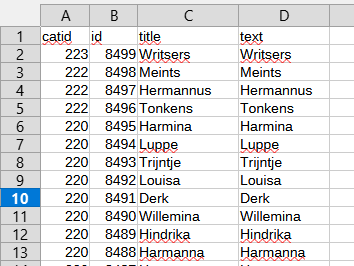
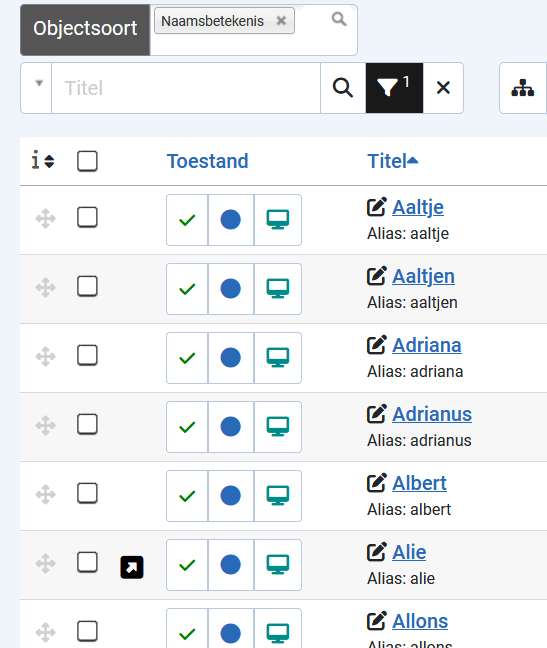
I reused the export csv file. Changed the headers according fieldnames used in import.
These are the examples 

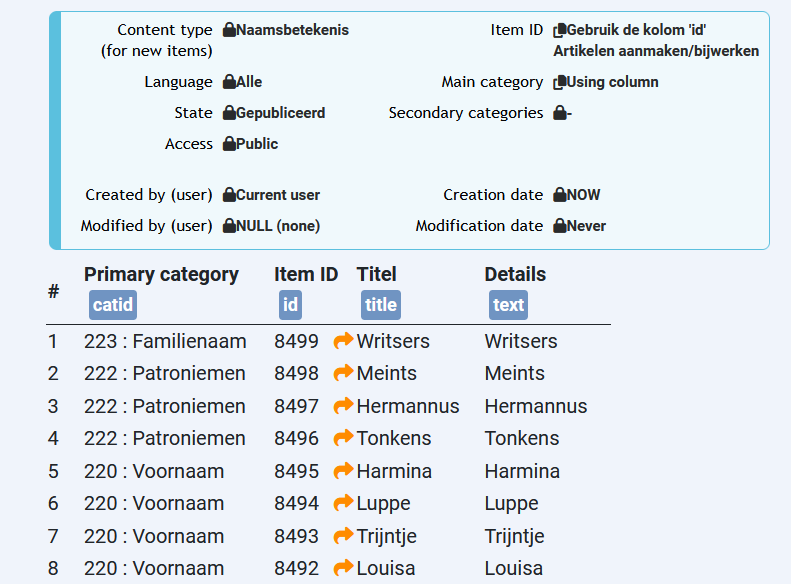
In import I get in prepare import: 

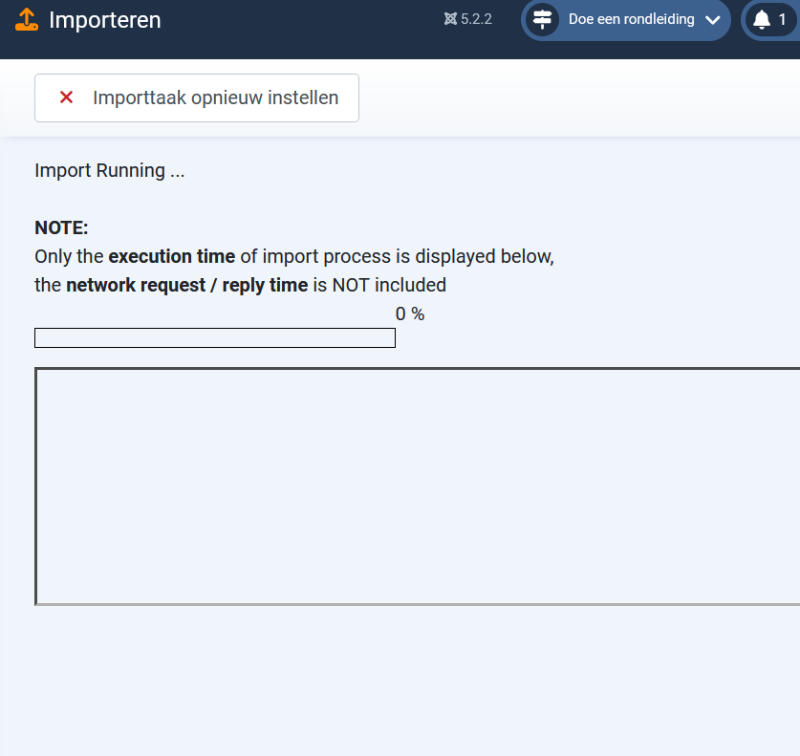
After start import I just see this:  
And nothing happens
This is the errorlog from browserconsole:  

File Attachment:

File Name: browsercon...1-01.txt
File Size:3.37 KB


Regards Henk
Last edit: 1 year 1 month ago by HenkKV.

Please Log in or Create an account to join the conversation.

More
1 year 1 month ago #85896 by micker
Replied by micker on topic Import fails
strange => check the error only please

FLEXIcontent is Free but involves a very big effort on our part.
Like the our support? (for a bug-free FC, despite being huge extension) Like the features? Like the ongoing development and future commitment to FLEXIcontent?
-- Add your voice to the FLEXIcontent JED listing reviews. Thanks![/size]

Please Log in or Create an account to join the conversation.

More
1 year 1 month ago - 1 year 1 month ago #85905 by HenkKV
Replied by HenkKV on topic Import fails
Hi Micker,

I started again.
I set the itemordering on title
I set the the content for first 15 items on "XX".  Maybe I could see some changes.
The Browserconsole does not show errors.
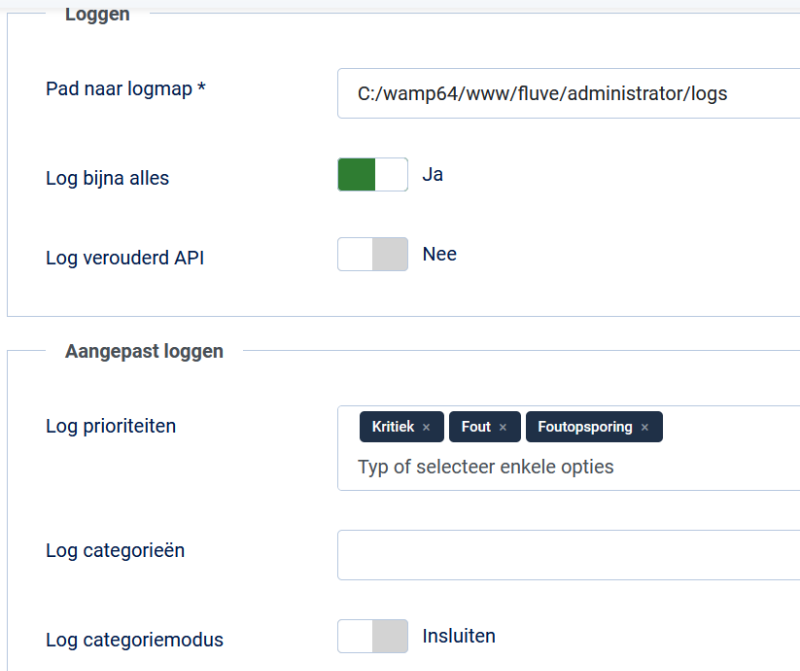
So I switched over to the Joomla settings:
Tab Server : errorreport: maximum
Tab Log:   
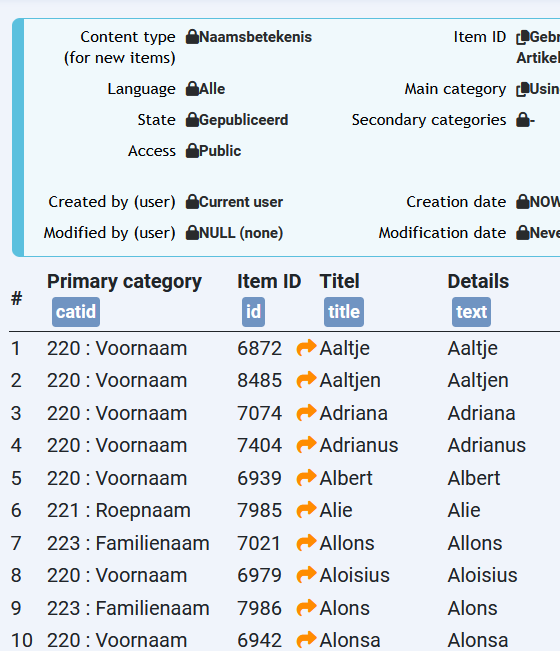
Then I started import. This is the order in import csv.
  
First test
As expected this is after prepare import
  
The a short inport gauche  and wait.
I shifted to flexicontent items
I checked first item.  Textfield was changed as in import CSV
I checked second item.  Textfield was changed as in import CSV
I checked third item.  Textfield was not changed
I returned to Import that showed again the after prepare import
I checked  the logfiles
Importcsv_547.php sais record 1 is imported
Everything.php gives an import report and error tree
Cron_estorage.php sais 'PHP' is not recognized
Second test
I started again the import
The a short inport gauche  and wait.
I shifted to flexicontent items
I checked first item.  Textfield was as in import CSV
I checked second item.  Textfield was as in import CSV
I checked third item.  Textfield was changed as in import CSV
I checked fourth item.  Textfield was changed as in import CSV
I checked fifth item.  Textfield was bot changed
I a glymps I saw a black sign left from the forth item.
I returned to Import that showed again the after prepare import
I checked  the logfiles
Importcsv_547.php sais record 3 is imported
Everything.php added a second import report and error tree
Cron_estorage.php sais 'PHP' is not recognized
Third test
Because I saw the glympse of a black sign  which I did not copy  I repeated the second test

After the third test this is how the item list looked like 
 
The log files after third test

File Attachment:

File Name: cron_estorage.txt
File Size:1.2 KB

File Attachment:

File Name: everything.txt
File Size:8.56 KB

File Attachment:

File Name: importcsv_547.txt
File Size:387 B


Hope this will help
Regards Henk

 
Last edit: 1 year 1 month ago by HenkKV. Reason: Wrong file attached

Please Log in or Create an account to join the conversation.

Moderators: vistamediajoomlacornerggppdk
Cookies user preferences
We use cookies to ensure you to get the best experience on our website. If you decline the use of cookies, this website may not function as expected.
Accept all
Decline all
Essential
These cookies are needed to make the website work correctly. You can not disable them.
Display
Accept
Analytics
Tools used to analyze the data to measure the effectiveness of a website and to understand how it works.
Google Analytics
Accept
Decline
Save