Customizing frontend form, how to place core fields ?

More
9 years 11 months ago - 9 years 11 months ago #60786 by fabioferrero
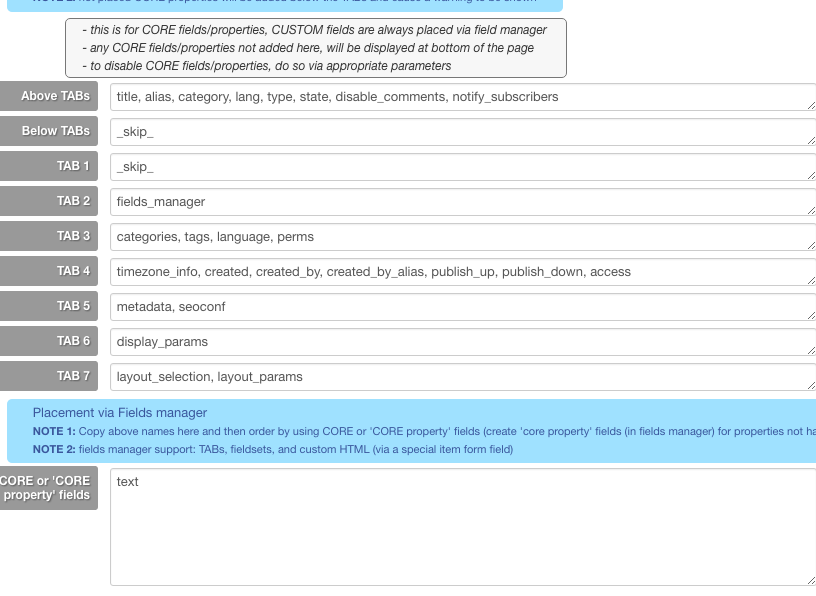
In template configuration, in tab "Item Form (FE)" in the section CORE fields (& properties) there is an hint that tell: "any CORE fields/properties not added here, will be displayed at bottom of the page".

Right... on the website I've, in effect, the "Description" displayed at the end of the page, but I need to display this field at the top, or in the right position. I've tried to add "Description" in the field "Above TABs" and also in "TAB1", but the "Description" remain at the bottom of the page...

What's wrong?
Last edit: 9 years 11 months ago by ggppdk.

Please Log in or Create an account to join the conversation.

More
9 years 11 months ago - 9 years 11 months ago #60789 by ggppdk
Hello

1. go to fields manager, and find the "fieldname" of the field
- e.g. for description is "text" or "maintext"
- for fields that do not exist e.g. "language" click to create a "Core property field" and set the fieldname to e.g. "lang"

2. go to type configuration of e.g. "Type A" and inside the tab for custom form FRONTEND Form add the fieldnames into the parameter

3. go to fields manager filter by "type A" and then order fields and save order

4. open the item form of Type A in frontend


-- Flexicontent is Free but involves a big effort on our part.
Like the our support? (for a bug-free FC, despite having a long list of functions) Like the features? Like the ongoing development and future commitment to FLEXIcontent?
-- Add your voice to the FLEXIcontent JED listing with a 5-star review. Thanks!
Last edit: 9 years 11 months ago by ggppdk.

Please Log in or Create an account to join the conversation.

More
9 years 11 months ago #60792 by fabioferrero
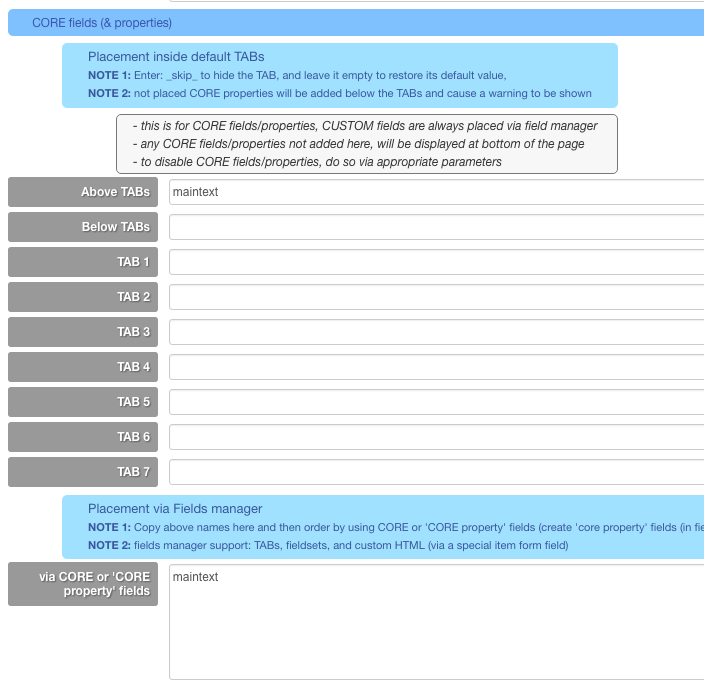
Ok, I've tried... but... what is the tab for custom form frontent? Item form (FE) is correct?
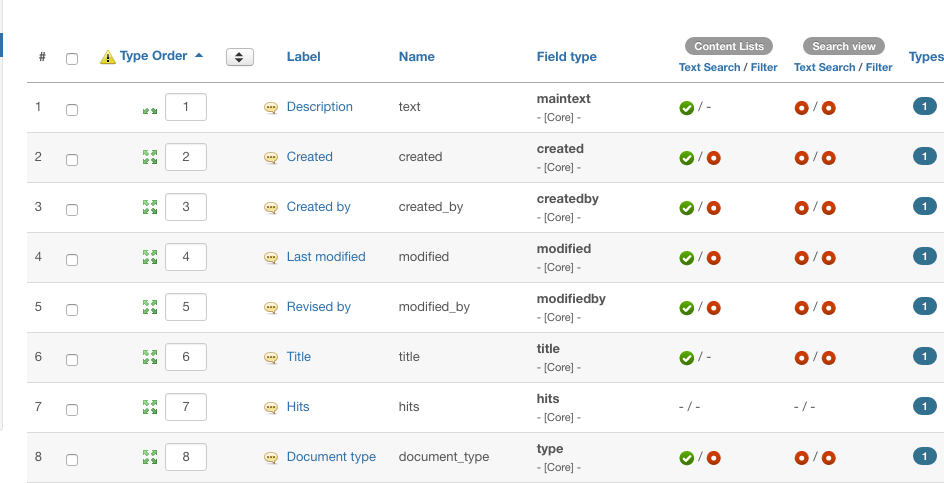
Then... in the fields manager, the fields are already in the right order and, however, there isn't the "save" button...

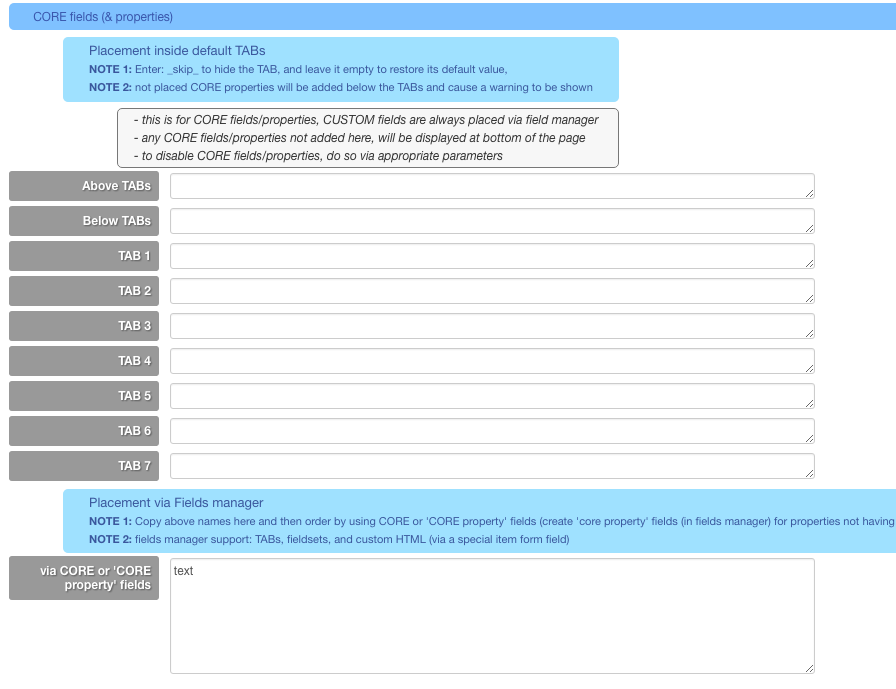
I've attacched admin config screens...

Thanks.

Please Log in or Create an account to join the conversation.

More
9 years 11 months ago #60793 by ggppdk
Hello

you do not add 'maintext' it in both parameters
- add it in one of them

either you will place field via fields manager order or at "Above TABs"


-- Flexicontent is Free but involves a big effort on our part.
Like the our support? (for a bug-free FC, despite having a long list of functions) Like the features? Like the ongoing development and future commitment to FLEXIcontent?
-- Add your voice to the FLEXIcontent JED listing with a 5-star review. Thanks!

Please Log in or Create an account to join the conversation.

More
9 years 11 months ago #60794 by fabioferrero
Ok, I've deleted from Above TABs and leave only in fields manager, but seems that nothing happens... :(

I've saved the config, saved again the fields positions, but Description remain at the bottom...

Please Log in or Create an account to join the conversation.

More
9 years 11 months ago #60798 by ggppdk
Hello

i have said "text" or "maintext" and asked to find (confirm) fieldname in fields manager
- where you can see that the fieldname is "text" (maintext is field type)

also the popup description of the parameter says "FIELDNAME" in capitals
please try "text"


-- Flexicontent is Free but involves a big effort on our part.
Like the our support? (for a bug-free FC, despite having a long list of functions) Like the features? Like the ongoing development and future commitment to FLEXIcontent?
-- Add your voice to the FLEXIcontent JED listing with a 5-star review. Thanks!

Please Log in or Create an account to join the conversation.

More
9 years 11 months ago #60812 by fabioferrero
Right... sorry... I've deleted "maintext" and wrote "text" only in one place... but still the position is wrong...
I've tried also with standard joomla template, but is the same...

Please Log in or Create an account to join the conversation.

More
9 years 11 months ago #60850 by ggppdk
Hello

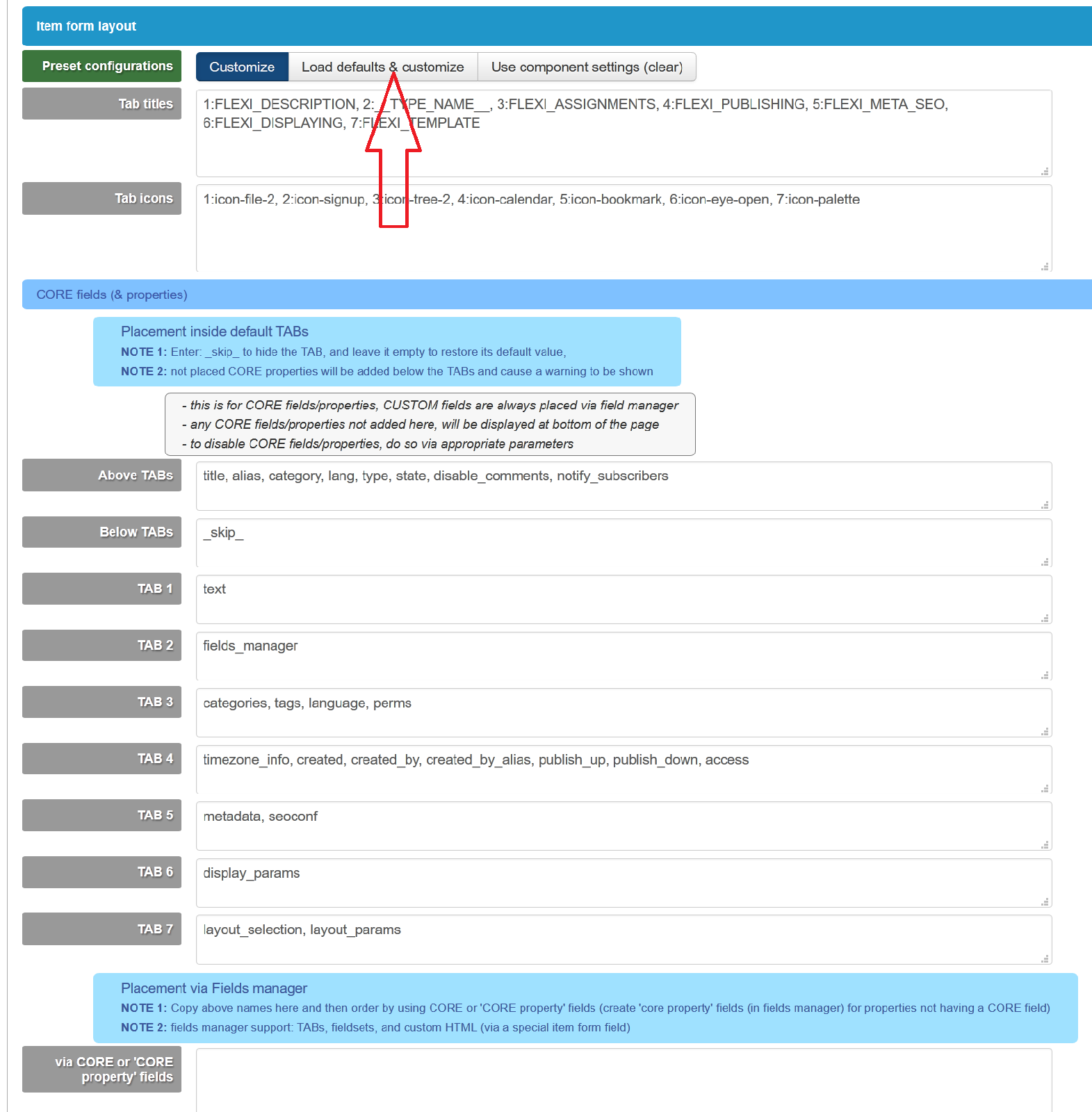
please edit (better) the TYPE parameters and not, instead of component, (component parameters are just default

1. inside type configuration form e.g. TYPE A (see the RED arrow) click "Load default & customize"


2. then move the field name to appropriate TABs
(Move the fieldnames that you wish to customize via fieldsmanager into the last TAB "Placement via fields manager")

3. go to fields manager filter by type e.g. TYPE A, then order fields

4. create a submit menu item to point to create specific type
(if you don't select type, then you will need to asked to save twice in item form, 1st save will be to assign type)


-- Flexicontent is Free but involves a big effort on our part.
Like the our support? (for a bug-free FC, despite having a long list of functions) Like the features? Like the ongoing development and future commitment to FLEXIcontent?
-- Add your voice to the FLEXIcontent JED listing with a 5-star review. Thanks!

Please Log in or Create an account to join the conversation.

More
9 years 10 months ago #61678 by fabioferrero
Ok... I've done 1, 2 and 3, but nothing change :(

...but, what is the 4? Create a submit menu item? How?

Thanks...

Please Log in or Create an account to join the conversation.

More
9 years 10 months ago #61684 by micker
create link menu in joomla adminitration
choose flexicontent submitting type

FLEXIcontent is Free but involves a very big effort on our part.
Like the our support? (for a bug-free FC, despite being huge extension) Like the features? Like the ongoing development and future commitment to FLEXIcontent?
-- Add your voice to the FLEXIcontent JED listing reviews. Thanks![/size]

Please Log in or Create an account to join the conversation.

Moderators: vistamediajoomlacornerggppdk
Cookies user preferences
We use cookies to ensure you to get the best experience on our website. If you decline the use of cookies, this website may not function as expected.
Accept all
Decline all
Essential
These cookies are needed to make the website work correctly. You can not disable them.
Display
Accept
Analytics
Tools used to analyze the data to measure the effectiveness of a website and to understand how it works.
Google Analytics
Accept
Decline
Save