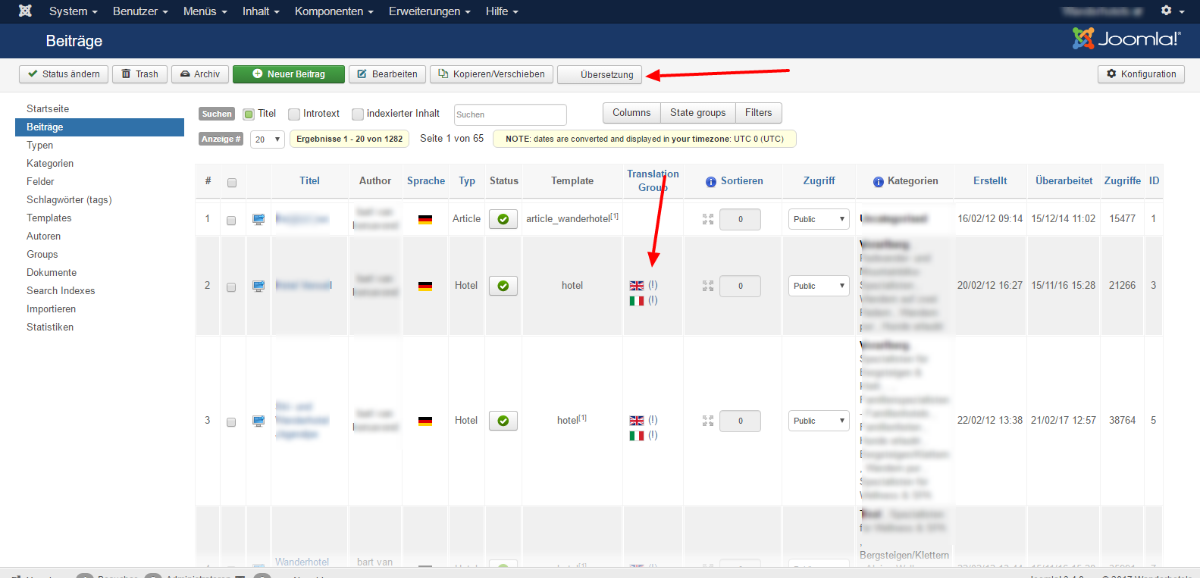
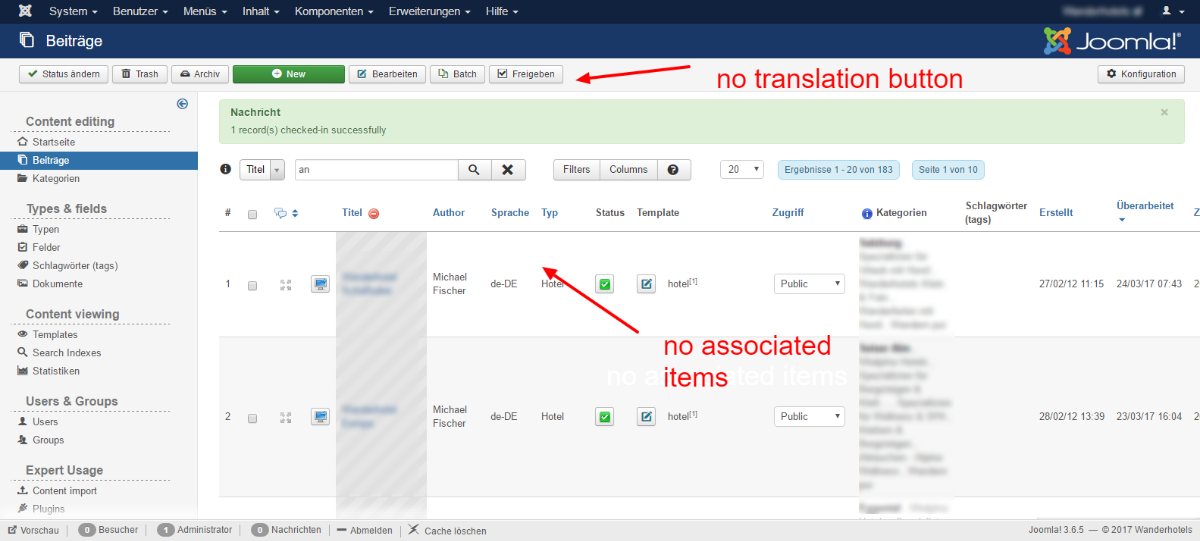
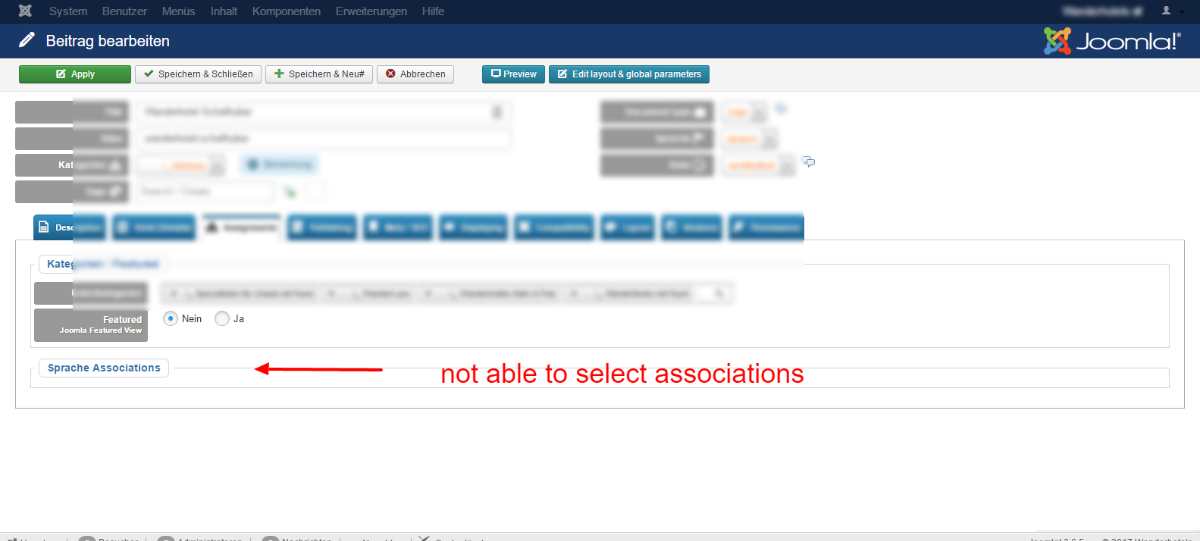
after update - no translation button + item association not activated

More
8 years 10 months ago #66782 by weCombine
dear flexicontent-team,

i got stuck with my project.
after updating the website from flexicontent 2.2 towards 3.1.1, i notice the tranlation button disappear in the items-overview. also, i cannot see the associated items (overview list & item form).
also in the fields, it s not possible to activate the translation button.

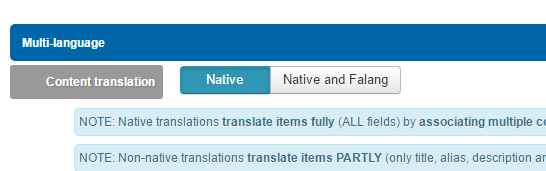
i found a translation setting in the configuration:
content translation = native
do i have to take care of something different?

cheers
bart

Please Log in or Create an account to join the conversation.

More
8 years 10 months ago #66783 by micker
can you explain with some screenshot ?
did you clean cache ?
did you use eng component or other translation ?
joomla version ?

FLEXIcontent is Free but involves a very big effort on our part.
Like the our support? (for a bug-free FC, despite being huge extension) Like the features? Like the ongoing development and future commitment to FLEXIcontent?
-- Add your voice to the FLEXIcontent JED listing reviews. Thanks![/size]

Please Log in or Create an account to join the conversation.

More
8 years 10 months ago #66784 by weCombine
many thanks for your feedback.

old site:
joomla 3.4.8
flexicontent 2.2.0

new site:
joomla 3.6.5
flexicontent 3.1.1

and we are using the native translation.
the updated well, i can use all functions, but now i see the translation problem:

on the old site, we had all translated articles associated


on the updated site, they are gone and there is no possibility to translate

Please Log in or Create an account to join the conversation.

More
8 years 10 months ago #66786 by micker
dd you check global config of flexicontent?

FLEXIcontent is Free but involves a very big effort on our part.
Like the our support? (for a bug-free FC, despite being huge extension) Like the features? Like the ongoing development and future commitment to FLEXIcontent?
-- Add your voice to the FLEXIcontent JED listing reviews. Thanks![/size]

Please Log in or Create an account to join the conversation.

More
8 years 10 months ago - 8 years 10 months ago #66812 by weCombine
the settings weren't changed.
we have the native language activated


i was actually looking in the code which setting triggers the showing of the "translation"-button, but didn't find any clue.
if someone has some feedback about that
Last edit: 8 years 10 months ago by weCombine.

Please Log in or Create an account to join the conversation.

More
8 years 10 months ago #66818 by weCombine
ok, found the solution.

in the "system - language filter", there is the setting: "item associations".
when i activate this, it works in flexicontent.

this setting was not needed in flexicontent: 2.2.ß

Please Log in or Create an account to join the conversation.

More
8 years 10 months ago #66819 by micker
thanks for share solution !

FLEXIcontent is Free but involves a very big effort on our part.
Like the our support? (for a bug-free FC, despite being huge extension) Like the features? Like the ongoing development and future commitment to FLEXIcontent?
-- Add your voice to the FLEXIcontent JED listing reviews. Thanks![/size]

Please Log in or Create an account to join the conversation.

More
8 years 10 months ago #66837 by ggppdk
Hello

yes, i was going to suggest that you look into this (Joomla language filter plugin setting is now used to check for language associations being enabled)

Thanks for sharing this feedback

we have converted our language associations of translation into Joomla language associations
(same will happen will happen for FLEXIcontent Tags in near future version, they will be converted to be Joomla tags)


-- Flexicontent is Free but involves a big effort on our part.
Like the our support? (for a bug-free FC, despite having a long list of functions) Like the features? Like the ongoing development and future commitment to FLEXIcontent?
-- Add your voice to the FLEXIcontent JED listing with a 5-star review. Thanks!

Please Log in or Create an account to join the conversation.

Moderators: vistamediajoomlacornerggppdk
Cookies user preferences
We use cookies to ensure you to get the best experience on our website. If you decline the use of cookies, this website may not function as expected.
Accept all
Decline all
Essential
These cookies are needed to make the website work correctly. You can not disable them.
Display
Accept
Analytics
Tools used to analyze the data to measure the effectiveness of a website and to understand how it works.
Google Analytics
Accept
Decline
Save