edit item error

More
10 years 2 months ago #59254 by cpb
edit item error was created by cpb
hi
well a lot of upgrades recent including windows 10 and joomla reinstall
problem
go to edit item
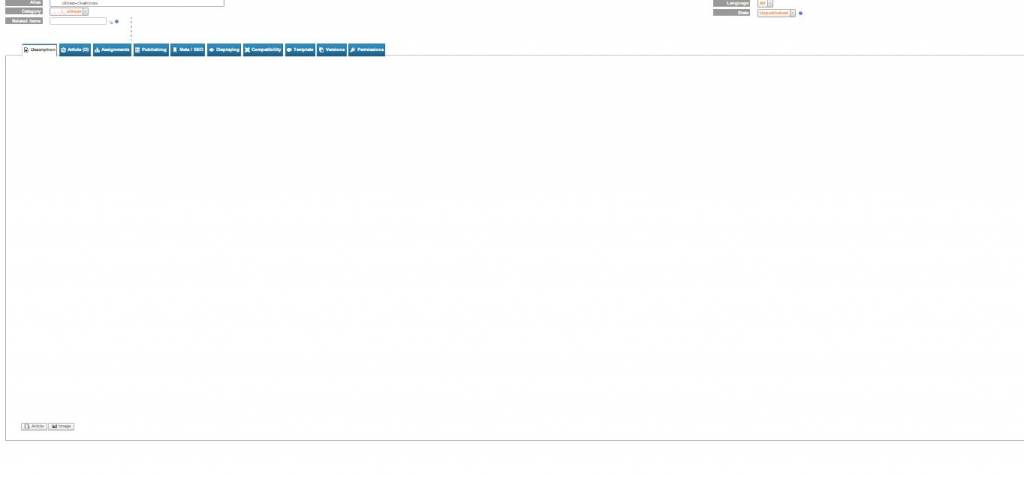
cannot see the artical discription .just blank
no edit buttons (tiny) or any text
change to html editor can see the text there ?

so any help please
latest flex and joom versions
tried with chrome and explorer same problem.

Please Log in or Create an account to join the conversation.

More
10 years 2 months ago #59255 by micker
Replied by micker on topic edit item error
did you clear your cache ?

FLEXIcontent is Free but involves a very big effort on our part.
Like the our support? (for a bug-free FC, despite being huge extension) Like the features? Like the ongoing development and future commitment to FLEXIcontent?
-- Add your voice to the FLEXIcontent JED listing reviews. Thanks![/size]

Please Log in or Create an account to join the conversation.

More
10 years 2 months ago #59260 by cpb
Replied by cpb on topic edit item error
Yes global catch cleared
tiny editor does not show aswell.

Please Log in or Create an account to join the conversation.

More
10 years 2 months ago - 10 years 2 months ago #59262 by ggppdk
Replied by ggppdk on topic edit item error
Hello

what is the "latest" FLEXIcontent version ?

about your pictures,
- since this forum limits resolution of pictures, your pictures do not show any readable information,
you can resize the window to 800x600 before taking a snapshot
or add links to the pictures instead of attaching them


-- Flexicontent is Free but involves a big effort on our part.
Like the our support? (for a bug-free FC, despite having a long list of functions) Like the features? Like the ongoing development and future commitment to FLEXIcontent?
-- Add your voice to the FLEXIcontent JED listing with a 5-star review. Thanks!
Last edit: 10 years 2 months ago by ggppdk.

Please Log in or Create an account to join the conversation.

More
10 years 2 months ago #59264 by cpb
Replied by cpb on topic edit item error
OK i think i have solved this.
tiny editor had defaulted to show no templates
not somthing i had changed so this must be due to a upgrade form joomla or flexicontent .reverted to this ?
maybe something you will need to make a note of as im sure more users will find this
:)

Please Log in or Create an account to join the conversation.

More
10 years 2 months ago #59265 by ggppdk
Replied by ggppdk on topic edit item error
FLEXIcontent will use default editor

Reasons for editor not showing

- default editor is configured to be "no editor" aka plain text
- there is JS error that prevents JS of the editor from running
- in content type (e.g. "Article") or in description field, usage of HTML Editor was disabled


-- Flexicontent is Free but involves a big effort on our part.
Like the our support? (for a bug-free FC, despite having a long list of functions) Like the features? Like the ongoing development and future commitment to FLEXIcontent?
-- Add your voice to the FLEXIcontent JED listing with a 5-star review. Thanks!

Please Log in or Create an account to join the conversation.

More
10 years 1 month ago #59273 by cpb
Replied by cpb on topic edit item error
Thanks for the fast response
so that has sorted the small site.

My large site is the one that got hit a week before Christmas .to cut a long story short
I had to remove it and install it again from a old backup.

The problem I have I can guess why this happened
I had to unzip the back up to desktop and upload all files with ftp.

unzipping to desktop as you may no a lot of the thumb pictures the names are to long to display so had to miss these out during the large unzipping to desktop


so now the site is all fine just the category items and tag items the thumbs I could not open to desk top are not showing which is about one third of them.

can you tell me how to reset this so it will find and make new picture thumbs again
as there is some code somewhere which will still try to link to these which I was unable to upload with the rest of the files

Please Log in or Create an account to join the conversation.

More
10 years 1 month ago #59282 by ggppdk
Replied by ggppdk on topic edit item error
Hello

about your question
- is the web server ROOT folder in your windows desktop ?

and you said that you had sub-folder path depth problem with phpthumb or with the folder names ?
please relocate it to root of a directory

e.g. if you use xampp for local testing
install to :
C:\xampp


-- Flexicontent is Free but involves a big effort on our part.
Like the our support? (for a bug-free FC, despite having a long list of functions) Like the features? Like the ongoing development and future commitment to FLEXIcontent?
-- Add your voice to the FLEXIcontent JED listing with a 5-star review. Thanks!

Please Log in or Create an account to join the conversation.

Moderators: vistamediajoomlacornerggppdk
Cookies user preferences
We use cookies to ensure you to get the best experience on our website. If you decline the use of cookies, this website may not function as expected.
Accept all
Decline all
Essential
These cookies are needed to make the website work correctly. You can not disable them.
Display
Accept
Analytics
Tools used to analyze the data to measure the effectiveness of a website and to understand how it works.
Google Analytics
Accept
Decline
Save