RS Form Plugin Not Working...

More
15 years 11 months ago #5460 by TheSoMeEx
It's likely I'm just missing the point here, that happens a lot, LOL!

OK, so RS Form Pro has a plugin that looks like this:

{rsform 2}

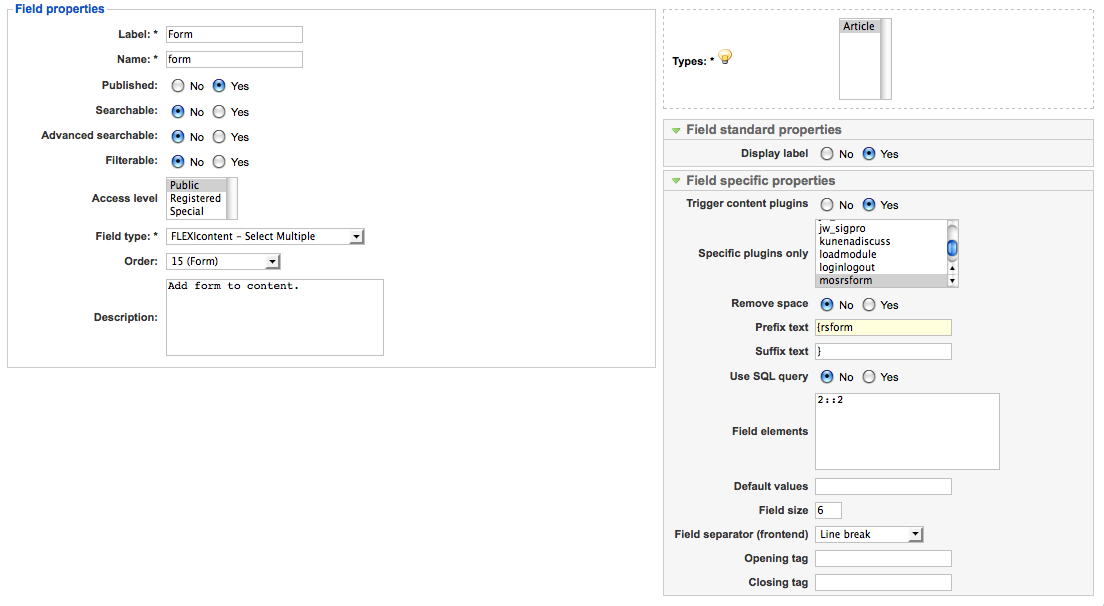
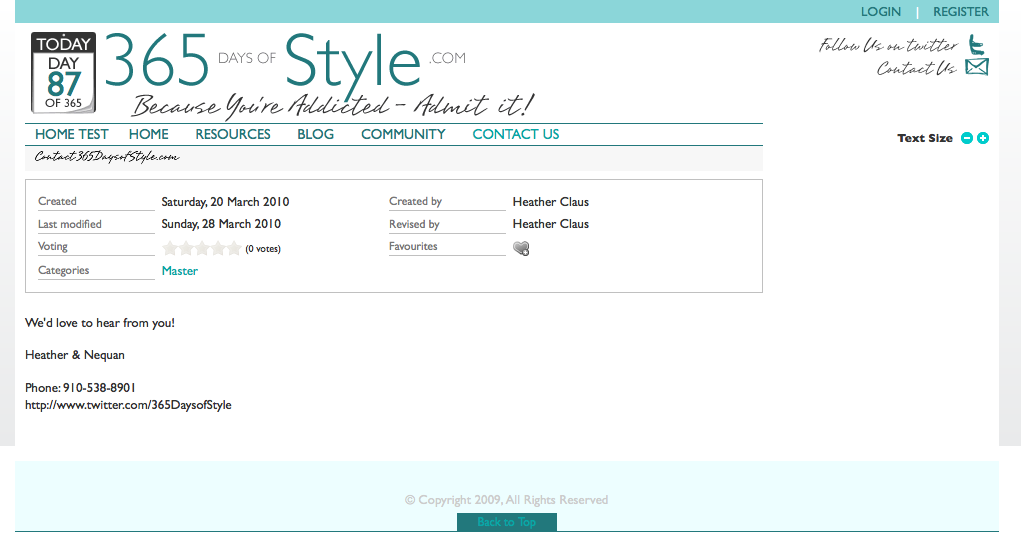
I thought I had set it up correctly, but it's not showing in the front (no title as well as no form).

In addition, when I save the field, the space is deleted from {rsform_, even though the "remove space" radio button is on "no."

www.365daysofeverything.com/inde ... &Itemid=19

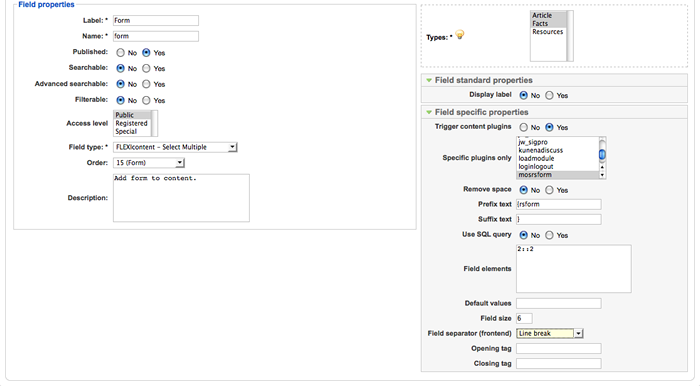
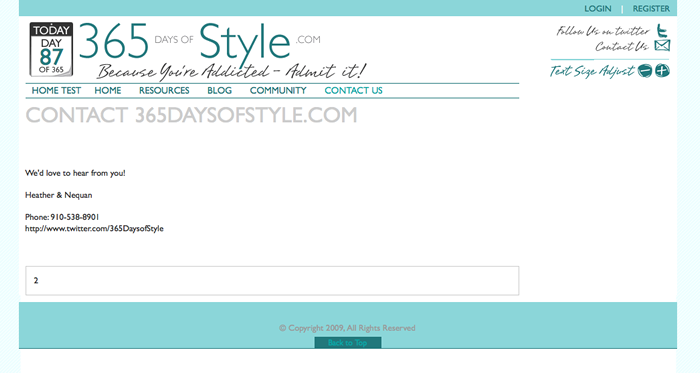
I've attached two screenshots. One of the field. One of the front. It looks terrible, I know... It's a new version of a site with a new template. I'm hoping to use FLEXIcontent instead of K2, which the original BETA is running.

Thanks for any help you can offer! *smiles*

--
Heather M. Claus
910-538-8901
I'm Building a Network of Niche Sites with a Shared Community - in BETA now!
www.365DaysofStyle.com
www.twitter.com/365DaysofStyle

Please Log in or Create an account to join the conversation.

More
15 years 11 months ago #5461 by yopyop001
Hi and welcome,

Did you put the field in the template you use by the template manager?

Did you trigger content plugin and select the rs_form plugin for your field?

Does the plugin work in a standard joomla content?

I don't use this component and plugin so it's difficult to try (no trial or free version).

Regards

Please Log in or Create an account to join the conversation.

More
15 years 11 months ago #5484 by TheSoMeEx
Code:
Did you put the field in the template you use by the template manager?

I did, yes, and I now have it showing.

Did you trigger content plugin and select the rs_form plugin for your field?


Yes. You can see that in my screenshot, attached.

Does the plugin work in a standard joomla content?


Yes, it does.

I don't use this component and plugin so it's difficult to try (no trial or free version).


I'm happy to give you (or anyone else) access to figure this out. I'm guessing I'm just not getting it.

*smiles*

--
Heather M. Claus
910-538-8901
I'm Building a Network of Niche Sites with a Shared Community - in BETA now!
www.365DaysofStyle.com
www.twitter.com/365DaysofStyle

Please Log in or Create an account to join the conversation.

More
15 years 11 months ago #5490 by kenmcd
.
Access alone will not enable diagnosis.

The plug-in itself would need to be examined.
Some plug-ins restrict themselves to being triggered in particular components, or views, etc.

Sometimes the fix is easy.
Sometimes the fix is more difficult.
Sometimes simply not possible without major modifications.

What do the folks who made the RS Forms extension say about FLEXIcontent support?
Since it is a commercial extension I assume they could give you an answer.

.

Please Log in or Create an account to join the conversation.

More
15 years 11 months ago #5505 by TheSoMeEx
I'll ask them. *smiles*

If they do not support, is there a workaround, by taking the plugin apart and adding in the actual code?

--
Heather M. Claus
910-538-8901
I'm Building a Network of Niche Sites with a Shared Community - in BETA now!
www.365DaysofStyle.com
www.twitter.com/365DaysofStyle

Please Log in or Create an account to join the conversation.

More
15 years 11 months ago #5508 by Nudles
Hi,
on the backend site view I see the mosrsform plugin, but there is one other plugin System - RSFormPro, and this one is not listed in only specific Plugins. I think you must enable both.

Moin moin und immer eine handbreit Wasser unter dem Kiel

Please Log in or Create an account to join the conversation.

More
15 years 11 months ago #5554 by TheSoMeEx
I did have both enabled and working in my content. I have just decided to go ahead and use the form directly linked to the menu for now.

It's not my highest priority.

Perhaps I'll come back to this later.

Oh, and I talked to RSFormPro, and they we quite unhelpful. I lost patience, and I don't do that easily.

*sighs*

--
Heather M. Claus
910-538-8901
I'm Building a Network of Niche Sites with a Shared Community - in BETA now!
www.365DaysofStyle.com
www.twitter.com/365DaysofStyle

Please Log in or Create an account to join the conversation.

More
15 years 11 months ago #5561 by Nudles
"Oh, and I talked to RSFormPro, and they we quite unhelpful"

I know :lol:

Moin moin und immer eine handbreit Wasser unter dem Kiel

Please Log in or Create an account to join the conversation.

More
15 years 10 months ago #5702 by iLLeT
Replied by iLLeT on topic RS Form Plugin Not Working...
I don't quite understand. Are you trying to get the form to work within a field, so you can call any form you want when you create an item by just putting the ID? or just trying to get {rsform 2} to work in flexicontents description?

Why join the Navy? when you can be a pirate.

Please Log in or Create an account to join the conversation.

More
15 years 10 months ago #5709 by clarica
RSForms does work fine in flexicontent, but it doesn't seem to work at all in 'select' fields (and it's not just the trailing space problem, though that will certainly break an rsform plugin) eg Even if you just list your select field elements as
{rsform 1}
{rsform 2}
{rsform 3}
It still won't work in item views (but does work in category views).

But, it does work just fine in plain text fields, and in wysiwyg text fields (even if you don't enable "trigger content plugins")

So unless you've got dozens of forms or need to force front end users to select from the available list, then this seems to be a pretty easy fix - just enter them manually.

Please Log in or Create an account to join the conversation.

Moderators: vistamediajoomlacornerggppdk
Cookies user preferences
We use cookies to ensure you to get the best experience on our website. If you decline the use of cookies, this website may not function as expected.
Accept all
Decline all
Essential
These cookies are needed to make the website work correctly. You can not disable them.
Display
Accept
Analytics
Tools used to analyze the data to measure the effectiveness of a website and to understand how it works.
Google Analytics
Accept
Decline
Save