[SOLVED] Changement du formulaire pendant ma saisie

More
10 years 2 months ago - 10 years 3 weeks ago #58589 by Bernard
Bonjour,
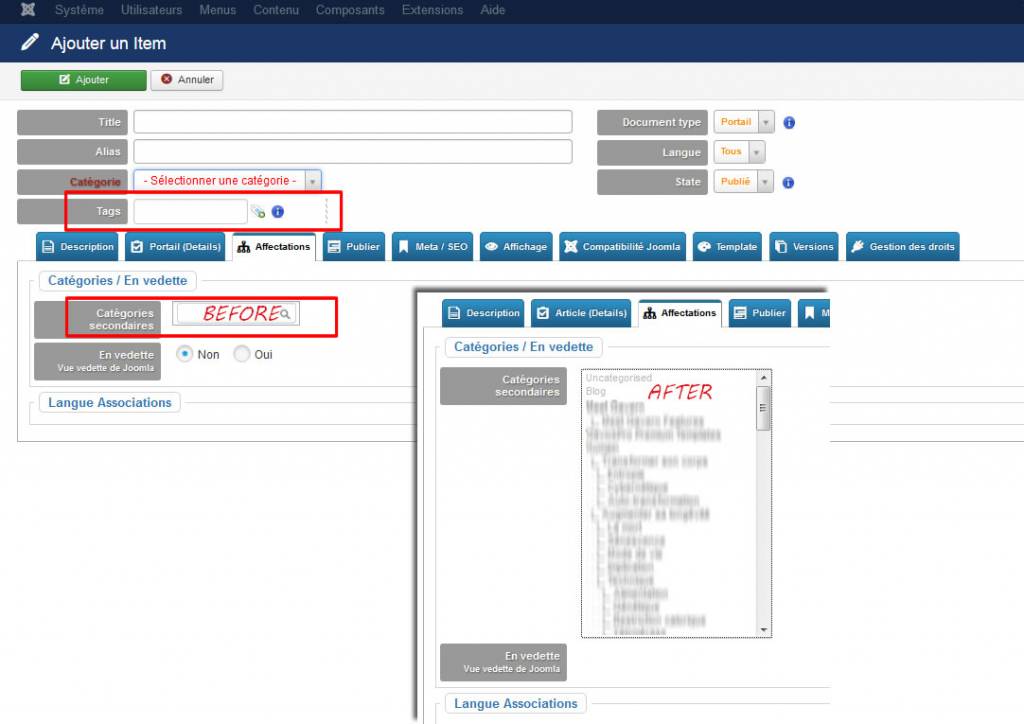
Surprise, pendant la saisie d'un item, le champ étiquette n'accepte plus ma valeur.
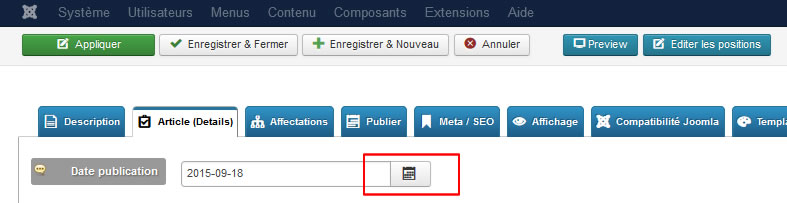
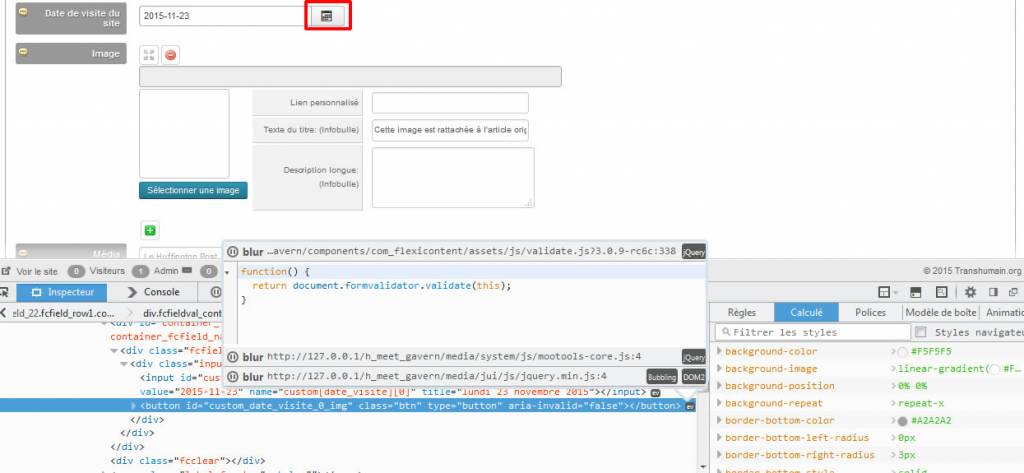
Je passe à un champ date, l’icône calendrier ne s'ouvre pas, mais je peux saisir la valeur textuellement (2015-11-23)
Dans l'onglet affectation, le champ catégorie secondaire à maintenant la forme d'une liste contenant l'arborescence, précédemment c'était une zone comme ci-dessous.

A priori, ces changements ne sont pas consécutifs à un changement de paramétrage, j'avais précédemment saisi 6 items en utilisant les mêmes champs.
J'ai réparé la base, purgé le cache, sans résultat
Avez-vous une idée sur cette situation ?
Last edit: 10 years 3 weeks ago by Bernard.

Please Log in or Create an account to join the conversation.

More
10 years 2 months ago #58590 by ggppdk
Hello

FLEXIcontent version and Joomla version ?

are you speaking about item edit form and date field ?
- also you may post a link to a picture
(temporarily you can not attack pictures to the forum, last upgrade of forum broke attaching, need to search and fix)


-- Flexicontent is Free but involves a big effort on our part.
Like the our support? (for a bug-free FC, despite having a long list of functions) Like the features? Like the ongoing development and future commitment to FLEXIcontent?
-- Add your voice to the FLEXIcontent JED listing with a 5-star review. Thanks!

Please Log in or Create an account to join the conversation.

More
10 years 2 months ago #58592 by Bernard
Joomla 3.4.5
FlexiContent 3.0.8
are you speaking about item edit form and date field ? yes

Please Log in or Create an account to join the conversation.

More
10 years 2 months ago - 10 years 2 months ago #58593 by ggppdk
Hello

first, please update to v3.0.9rc6c

www.flexicontent.org/downloads/latest-version.html


-- Flexicontent is Free but involves a big effort on our part.
Like the our support? (for a bug-free FC, despite having a long list of functions) Like the features? Like the ongoing development and future commitment to FLEXIcontent?
-- Add your voice to the FLEXIcontent JED listing with a 5-star review. Thanks!
Last edit: 10 years 2 months ago by ggppdk.

Please Log in or Create an account to join the conversation.

More
10 years 2 months ago - 10 years 2 months ago #58638 by Bernard
Hi
the update is made
I see the same problem

Before/After


l’icône calendrier ne s'ouvre pas

Last edit: 10 years 2 months ago by Bernard.

Please Log in or Create an account to join the conversation.

More
10 years 2 months ago #58640 by ggppdk
Please open browser console with CTRL SHIFT K or similar
Then click on the console tab
and refresh page
Is there a JS error?

Do you load custom JS in the backend item form?


-- Flexicontent is Free but involves a big effort on our part.
Like the our support? (for a bug-free FC, despite having a long list of functions) Like the features? Like the ongoing development and future commitment to FLEXIcontent?
-- Add your voice to the FLEXIcontent JED listing with a 5-star review. Thanks!

Please Log in or Create an account to join the conversation.

More
10 years 2 months ago #58641 by ggppdk
Also test this. Change backend language to English
And reopen the item form


-- Flexicontent is Free but involves a big effort on our part.
Like the our support? (for a bug-free FC, despite having a long list of functions) Like the features? Like the ongoing development and future commitment to FLEXIcontent?
-- Add your voice to the FLEXIcontent JED listing with a 5-star review. Thanks!

Please Log in or Create an account to join the conversation.

More
10 years 2 months ago #58665 by Bernard

Please Log in or Create an account to join the conversation.

More
10 years 2 months ago #58666 by Bernard
after refresh I see the same problem

Please Log in or Create an account to join the conversation.

More
10 years 2 months ago - 10 years 2 months ago #58667 by Bernard
i tested

In the address bar, type about:config and press Enter.
Click "I'll be careful, I promise" if a warning message appears.
In the search box, search for javascript.enabled
Toggle the "javascript.enabled" preference (right-click and select "Toggle" or double-click the preference) to change the value from "false" to "true".
Click on the "Reload current page" button of the web browser to refresh the page.


I rebooted my computer
same problem :whistle:
Last edit: 10 years 2 months ago by Bernard.

Please Log in or Create an account to join the conversation.

Moderators: vistamediajoomlacornerggppdk
Cookies user preferences
We use cookies to ensure you to get the best experience on our website. If you decline the use of cookies, this website may not function as expected.
Accept all
Decline all
Essential
These cookies are needed to make the website work correctly. You can not disable them.
Display
Accept
Analytics
Tools used to analyze the data to measure the effectiveness of a website and to understand how it works.
Google Analytics
Accept
Decline
Save